MarcusHammarstedt
TLDR
I use code and design to produce the highest quality work that delivers business value and makes my team proud.
ROLES
- 2020Head of Design@See-Mode
- 2018Lead Design Technologist@Redbubble
- 2016Senior Product Designer@Redbubble
- 2014Senior UI Developer@Intershop
AT A GLANCE
- UI•UX•HTML•CSS•Javascript
- Remote•Hybrid
- Santa Cruz, CA
- USA •Australia•Sweden
UI
Designing and building intuitive and accessible interfaces for complex use cases such as medical diagnostics.
UX
Designing, preparing and conducting qualitative and quantitative research to inform decision making.
Dev
Deploying performant and accessible code to production environments through Git workflows.
Design Systems
Creating, maintainting and educating on Design Systems for small and large teams.
People
Defining and running inclusive hiring processes. Onboarding, mentoring and coaching others.
Team
Planning and leading sprints, introducing new team processes and company policies.
EXPERIENCE
With many years in the industry I've had the chance to work with some amazing people on some really interesting products
I've taken new products to market, lead product teams, built and educated on design systems, spearheaded accessibility initiatives and delivered solutions quickly by being lean and pragmatic.


THE HORIZON
That may be working on Design Systems, rapidly experimenting for growth, helping take new products to market, or simply consulting on short term initiatives.
If you're looking for someone and think I might be a good fit, don't hesitate to reach out.
THE BUSINESS
Redbubble is the leading global marketplace for independent artists to sell their creations on commercial goods like t-shirts, stickers and phone cases. It was founded in 2006 and has grown to support close to 1 million artists that sold to 4 million customers in 2018 alone.
It is available in multiple languages and has offices in Australia, North America and Europe, with North America being the largest market.
MY ROLE
My role as Senior Product Designer was to uncover user needs, validate our hypotheses, contribute to overall strategy, and work with the team on coming up with a lean approach to delivering our solution.
UI
Solving interaction and hierarchy challenges
UX
Performing qualitative and quantitative research
Dev
Prototyping using real code for user testing and performance
THE PROBLEM
The Redbubble platform had evolved over 12 years and accumulated a lot of technical debt. It was using old tech which was causing issues for teams as well as customers since it resulted in:
- Slow product development
- Poor site performance
THE OBJECTIVE
Deliver a new front-end platform and be the fastest, unique shopping experience our customers had ever seen.
STRATEGY
An initial challenge was to reduce scope. Delivering a new platform with the same feature set as we already had would take a minimum of 12 months.
So how could we go to market early and be lean, deliver incrementally and validate both the new platform and experience?
We started looking at analytics data, targeting different user segments and their behaviours to identify an opportunity where we could show a particular segment an experience that was different from the rest of the users on the site. What we found was that a significant amount of traffic to our product pages came from Google Shopping and the majority of these users would bounce within a minute.
This was ideal as it allowed us to show this segment a different experience without it interferring with existing members and customers using the site. It also allowed us to deliver incrementally, and to further narrow down the scope we decided to focus on mobile users, and the t-shirt product page.
This way our initial scope and approach was reduced to:
- Google Shopping users
- Mobile devices
- T-Shirt product page
RESEARCH
I ran a series of qualitative interviews with people using Google Shopping on their mobile device. The goal was to better understand their general needs and behaviours.
The sessions were generative, with little guidance and the task was simple: find a t-shirt with a graphics print that you like in Google Shopping.
Some key insights came out of that research:
- Users make decisions, eg. style, colour and fit, before arriving to a retailer
- Users were happy to buy from unknown retailers but it would take more for them to trust the site
- Price, delivery dates and returns policy are key factors when users decide on making a purchase
- Reviews are important to establish trust in both the brand and how the product fits
TESTING WITH CONFIDENCE
One issue with the above method was that only a few of the participants would naturally land on Redbubble when using Google Shopping. This meant that we didn't have many specific insights around their behaviours on our own product page.
So how might we incorporate the Google Shopping flow in a natural way, but ensure that the users end up on Redbubble?
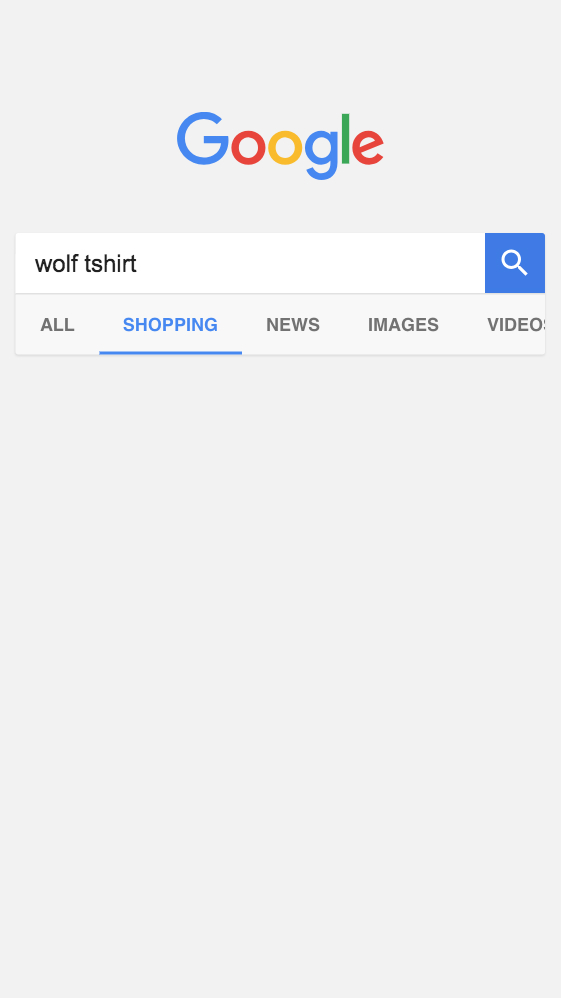
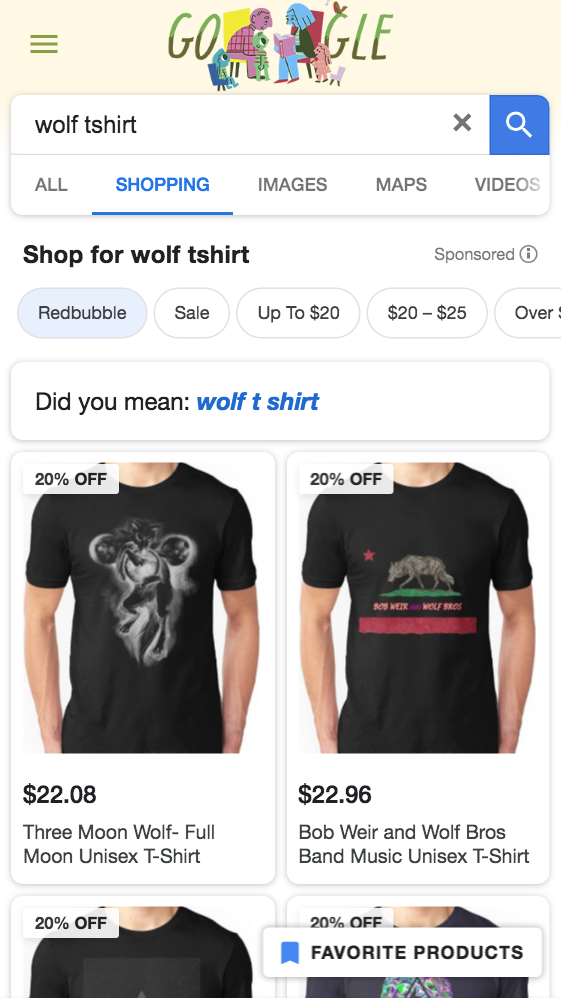
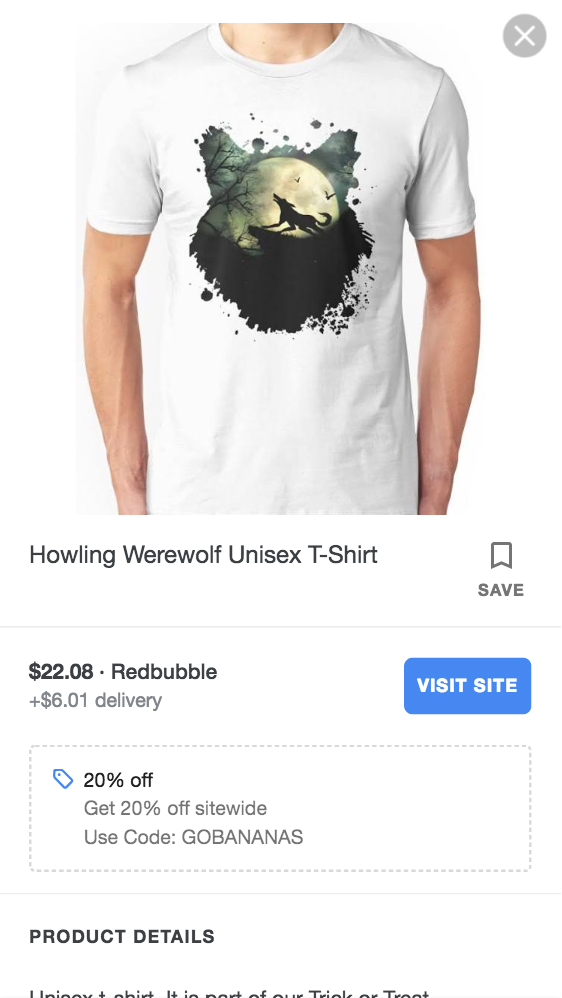
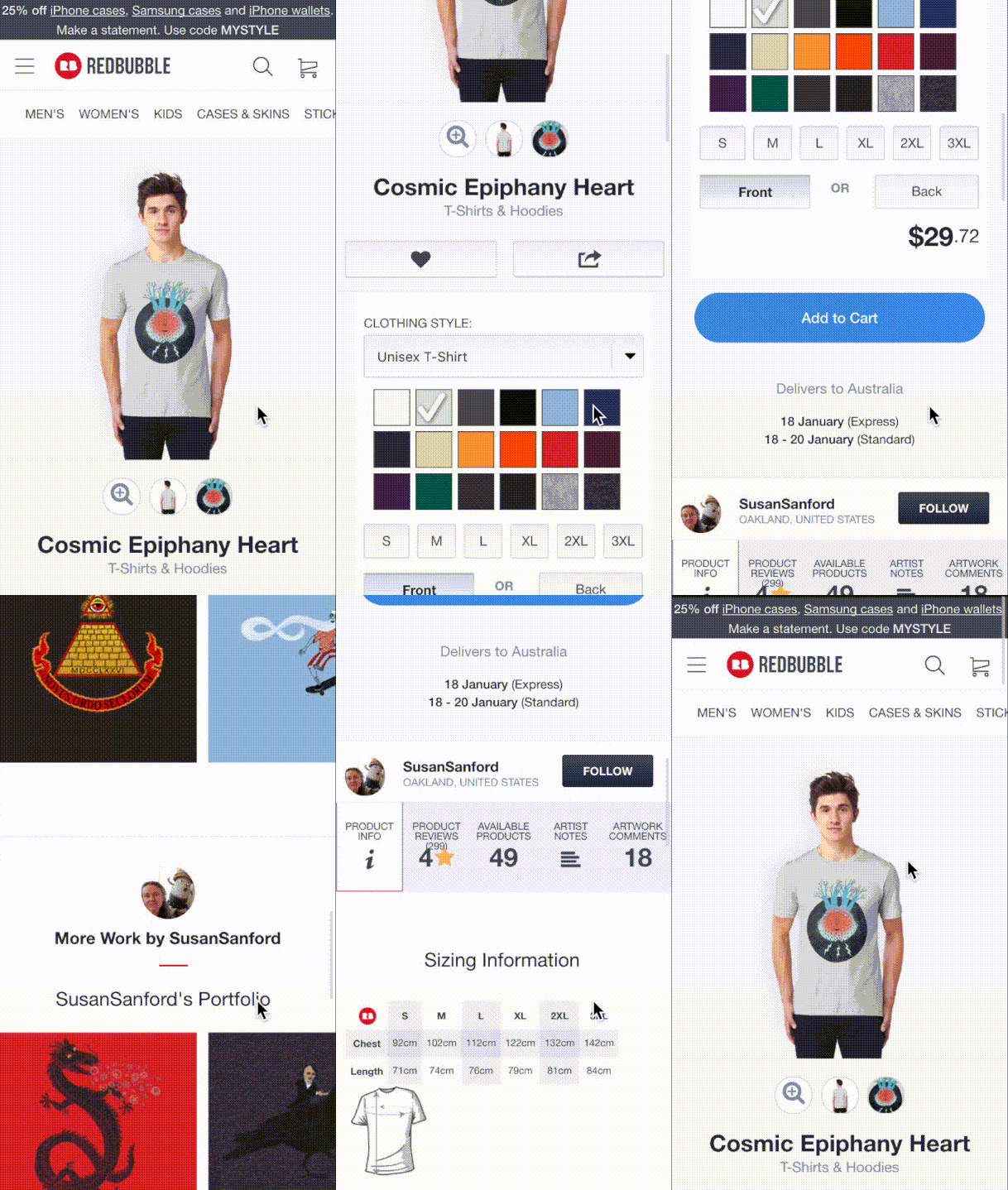
I came up with the idea and built our own fake version of a Google Search page with simple HTML, CSS and Javascript. It had a search form that would take the users search query and apply filters to it. This allowed us to alter the search results in Google Shopping to only show results from Redbubble and enabled the user to search and discover products naturally.
INSIGHTS
The above set up allowed us to explore our Google Shopping users behaviours more specifically once they had arrived on Redbubble.
Some key insights from this research was:
- Trust and confidence came from others (reviews and comments)
- Users didn't scroll past half the page
- Confinguring the product required a lot of effort
- The majority of options we provided were not relevant
- Users struggled to find key information
DESIGN SPRINT
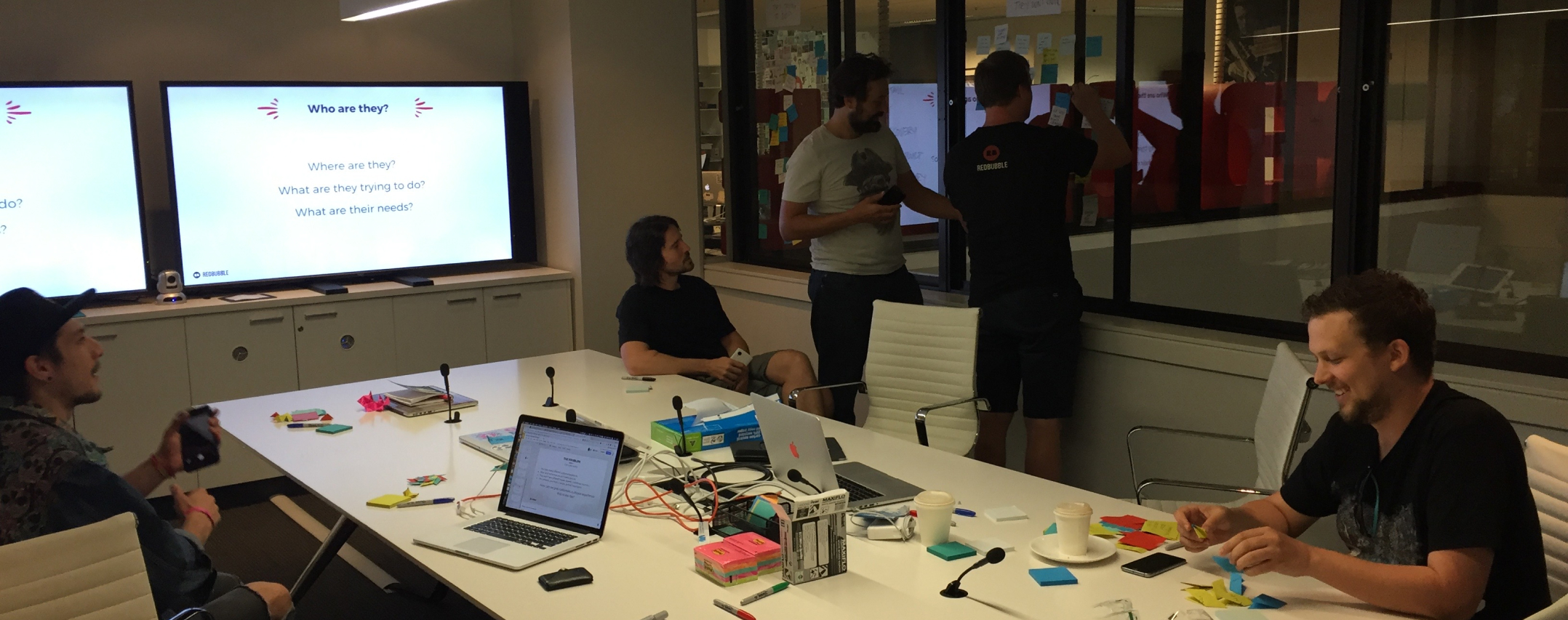
To kick things off my product manager and I co-facilitated a three day design sprint with our product team. We shared and discussed the insights and data. We looked at constraints, aligned on goals and explored new concepts.
VISION
As we brainstormed, great concepts and ideas started to emerge. But they often felt narrow and too focused on a specific user segment.
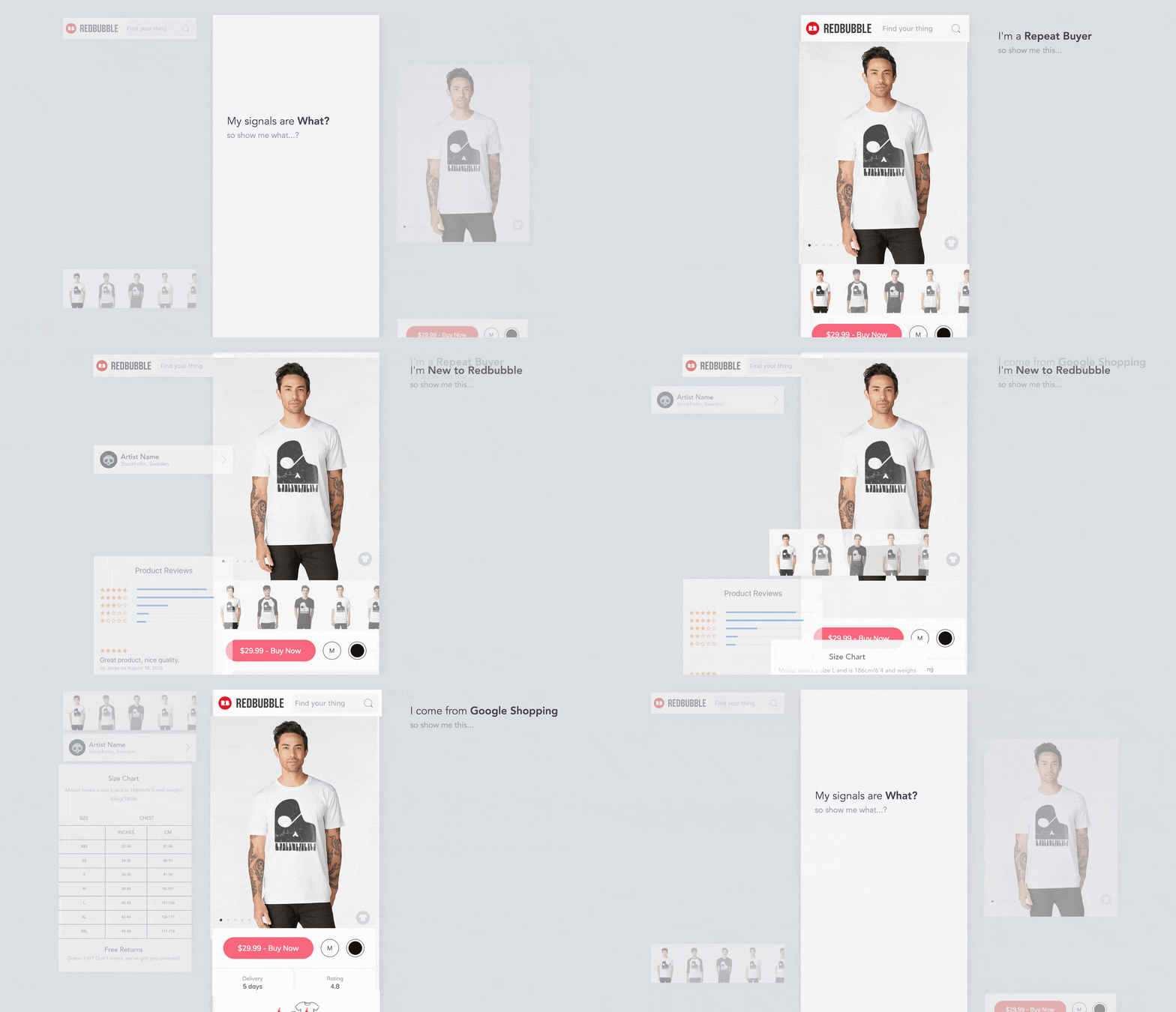
For example: A new user cares more about reviews than an existing member. And a user coming from Google Shopping has different needs from someone coming from an artist profile page.
This lead us to another, perhaps bigger question:
How might we serve the unique needs of our many user segments, equally well?
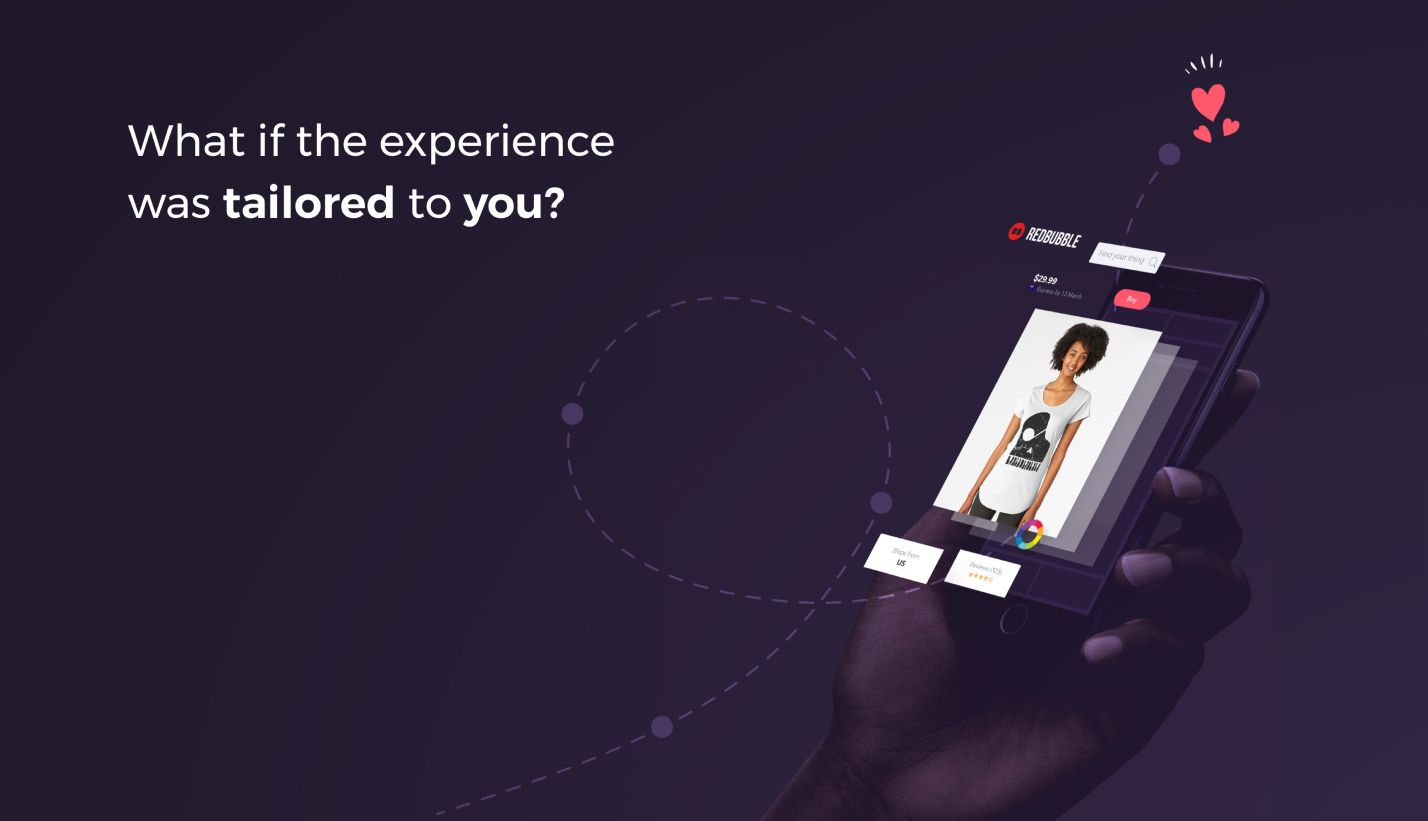
Thus, our vision of a modular experience that would adapt to user signals and intent was born.
SOLUTIONS
Our vision helped guide our decision making both technically and for the interface. It also allowed us to move forward with a focus on the Google Shopping user in mind.
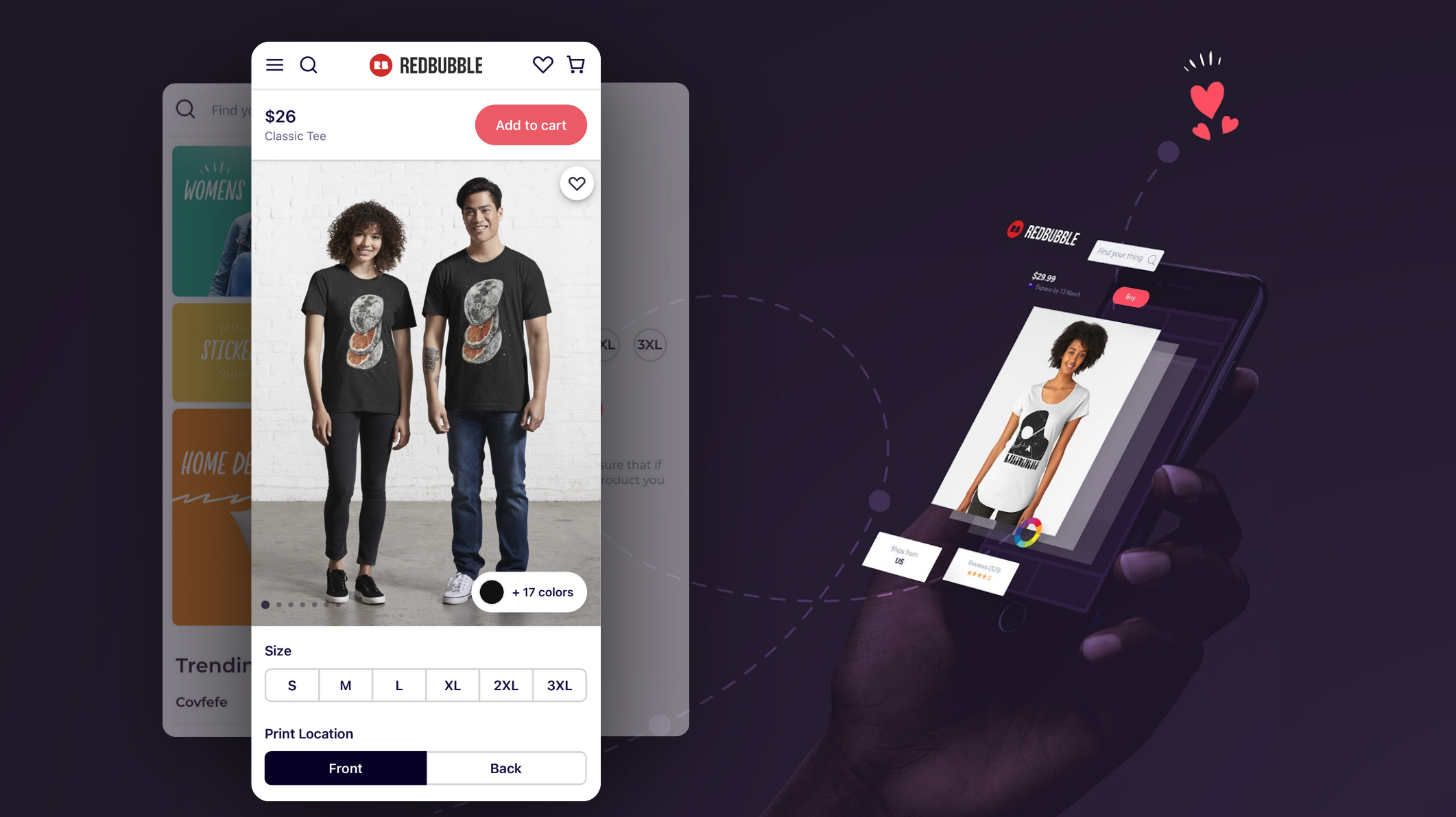
I took the many ideas and prototypes from our design sprint, further refined them for validation, and focused on three main areas:
- Product configuration
- Product discovery
- Product trust
PRODUCT CONFIGURATION
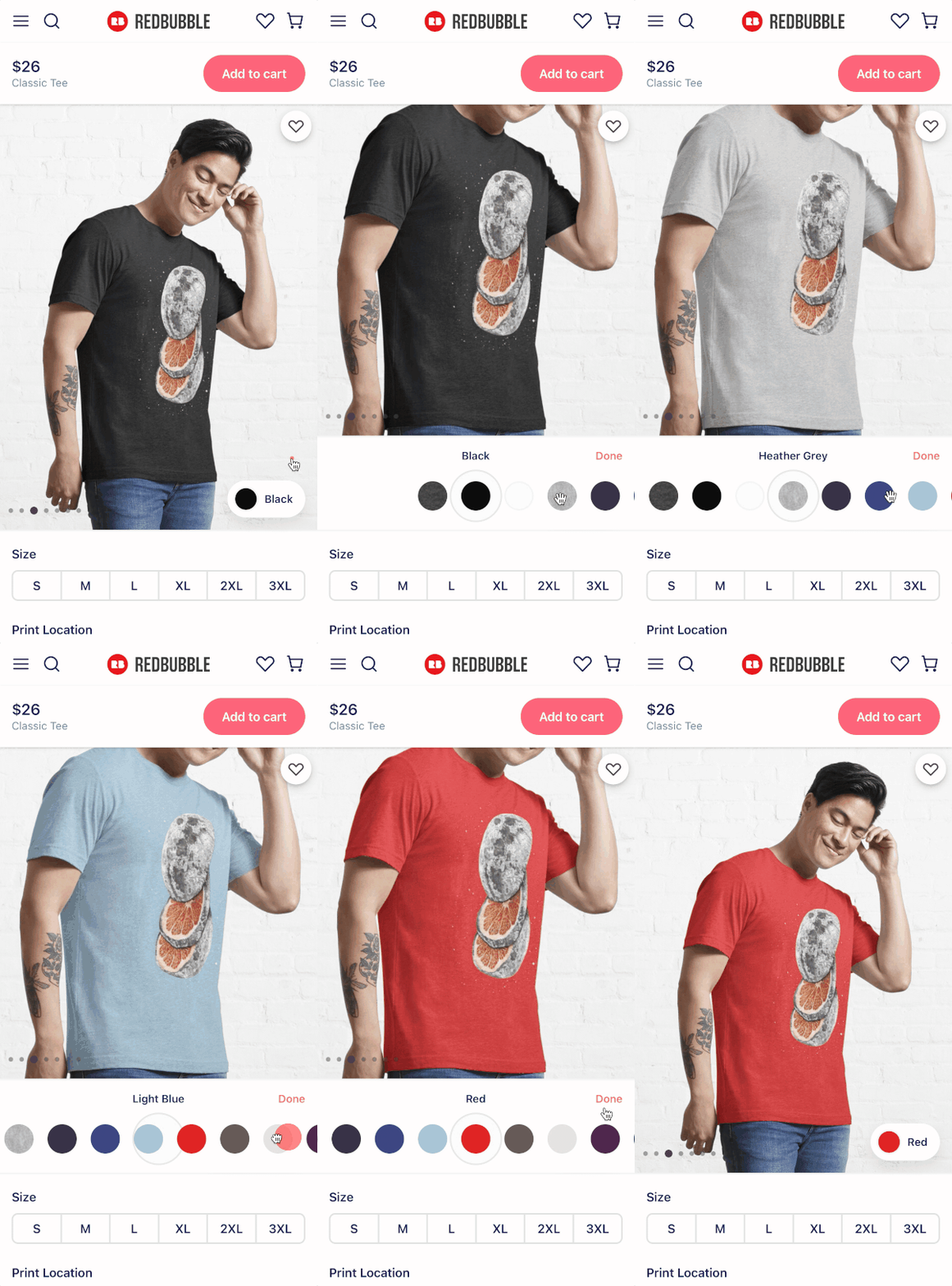
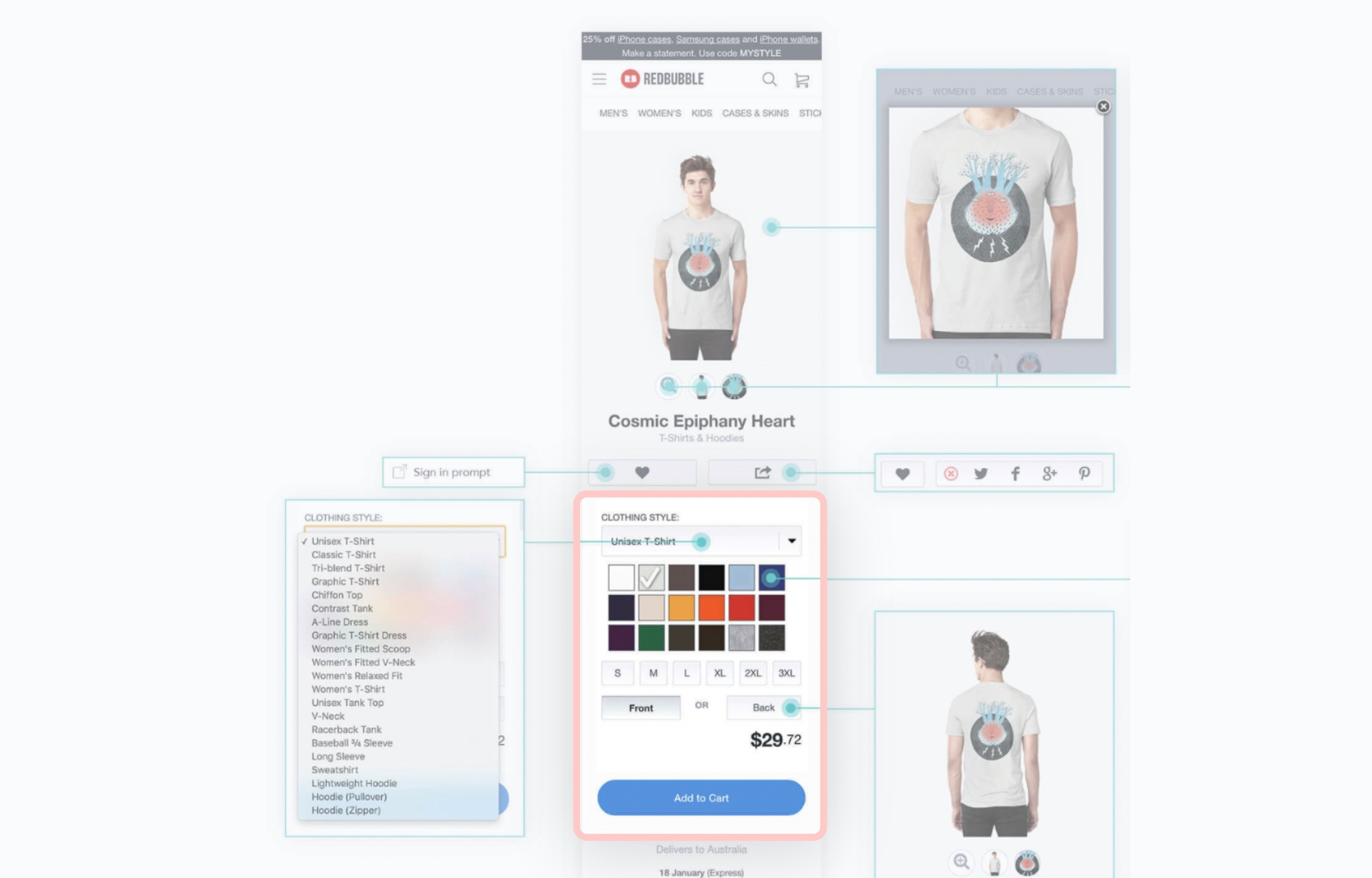
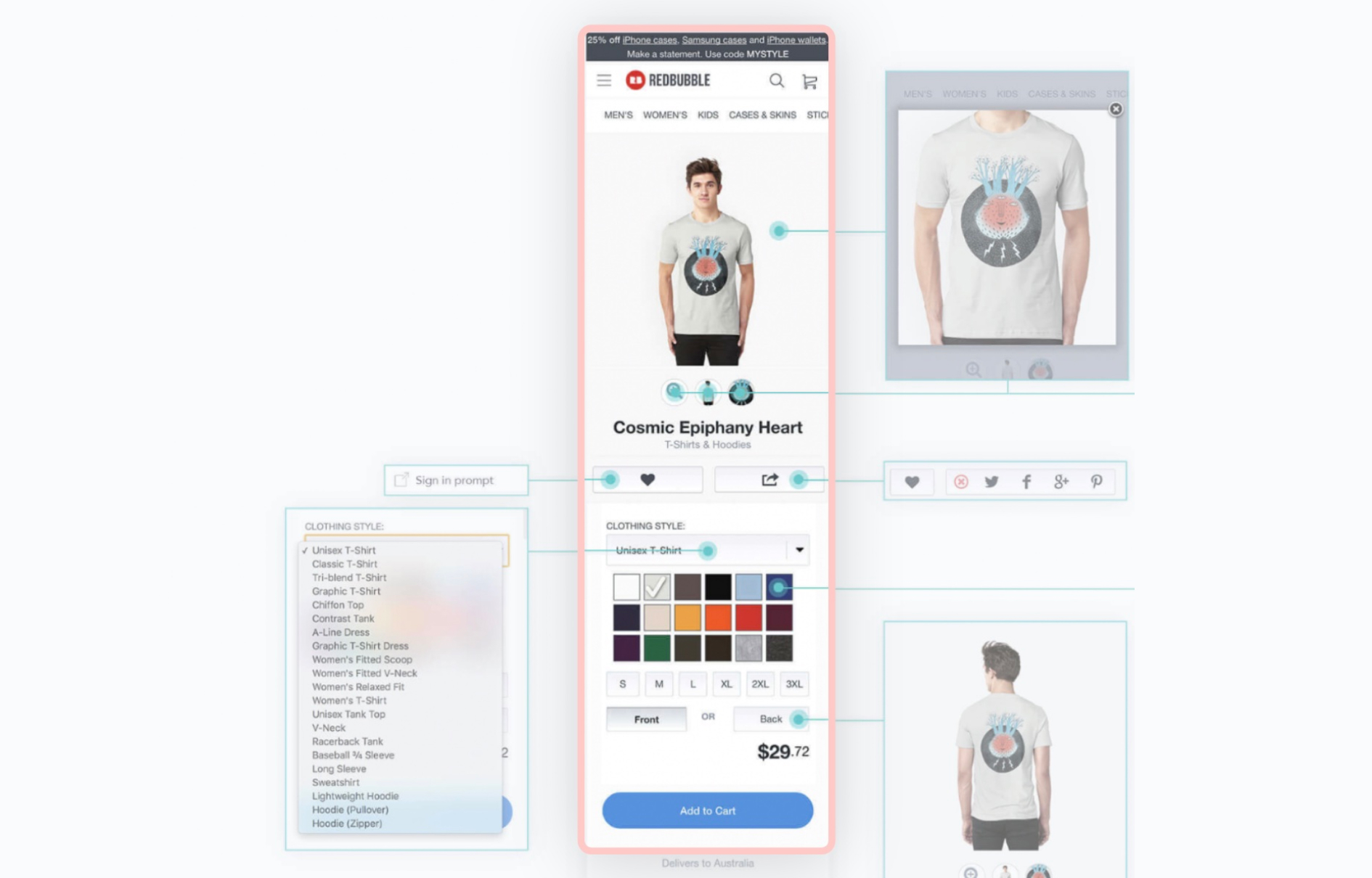
The current experience required the user to scroll exessively to configure the product. Our data showed that the main attribute to change was colour. It also showed that more than 90% of purchases were made on white, black or grey coloured t-shirts and that the majority of purchases were made on the default colour for the product.
I came up with a few ideas and tested three main hypotheses:
- Keeping the colour configurator within the viewport will reduce the time it takes to configure the product
- Sorting colours based on usage will reduce the time it takes to choose colour
- De-emphasising the configuration will reduce cognitive load and make the experience feel less overwhelming
PRODUCT DISCOVERY & TRUST
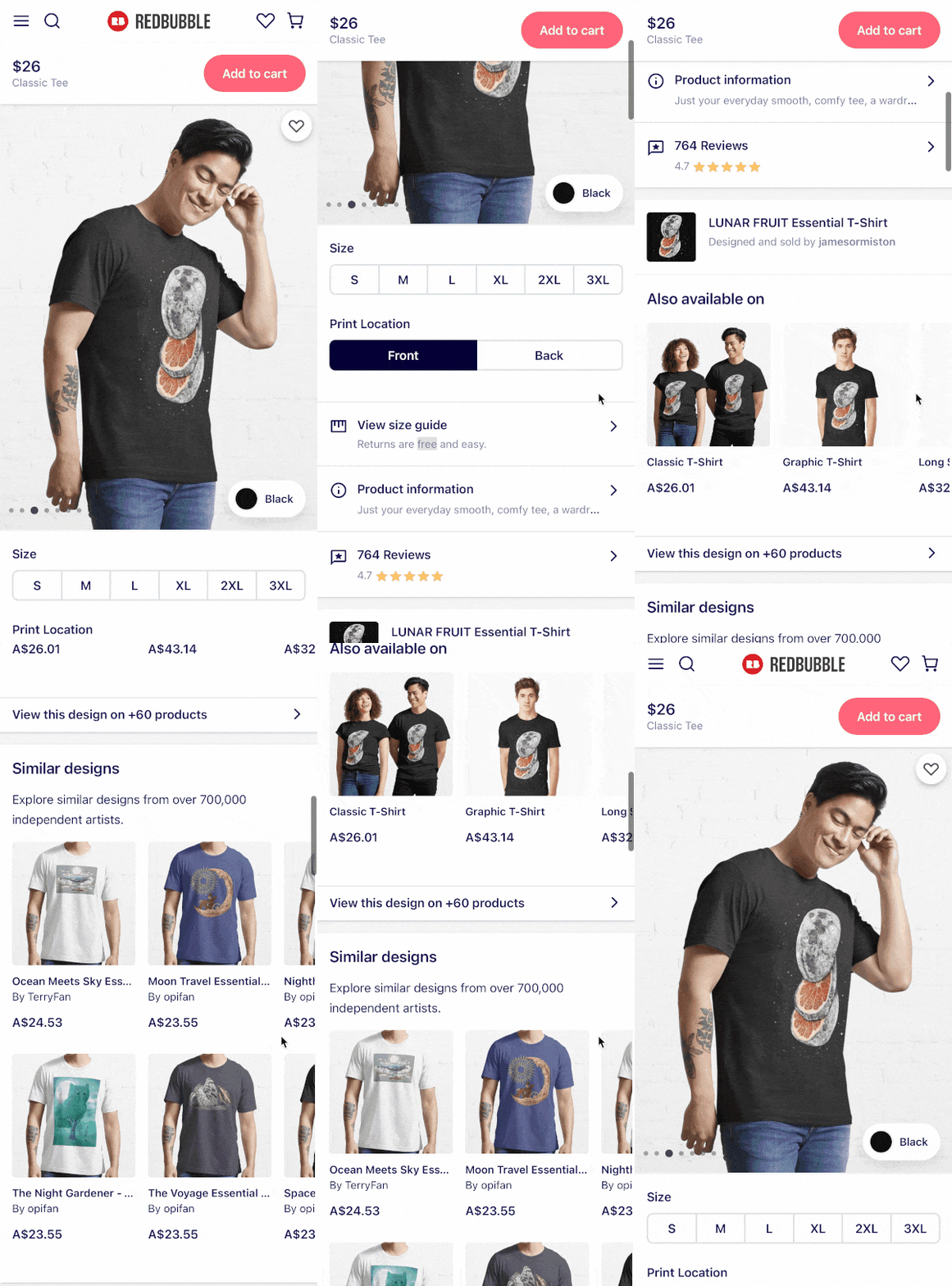
An interesting insight from our research was that many users didn't scroll past the first third of the page. In fact, they would stop where the "Add to cart" button was and scroll back up. At the end of these sessions, I would share my observations with them and ask why that was. They were often surprised themselves, did it mostly subconsciously and would say "I guess I didn't think there was anything relevant below that button".
This was interesting since we had reviews, returns policy and delivery dates below that button. Things I knew were relevant to the user when making purchasing decisions and trusting a new retailer.
I came up with a few ideas and tested three main hypotheses:
- Moving the "Add to cart" button to the top and making it fixed will encourage scrolling
- Grouping information will make it easier to scan and find
- Emphasising important content will reduce the time it takes to make a purchasing decision
OUTCOMES
The overall initiative was a massive undertaking. We were able to break down and sequence our delivery with incremental additions to the experience and measure our impact along the way.
In the end our solution had a big impact on our key metrics and also triggered new and exciting initiatives:
- Our MVP saw record increases in conversion and add to cart rates
- The new platform is adopted across the organisation
- Our visual language was refined and evolved
- We established the foundations for a Design System